VHS Shelf: Dev Log #2
I'm not sure why I was under the impression that smoothens out the hover animation would be easy? Alas, 'twas not trivial. Turns out that there are these things called tweens, which are a type of animation that smooths out the frames in between the main frames. This looks like gradually changing the values of properties such as position, opacity, or width over time. In Godot specifically, tweens are objects that I can use in the sprites gdscripts so imma do that
Fun fact: Masaaki Yuasa started his career as an in between animator, and almost stopped animating because he wasn't very good at it due to his specific art style and line work. He stuck with it until he became a key animator, and thank god he did because we got Mind Game(2004) out of it.
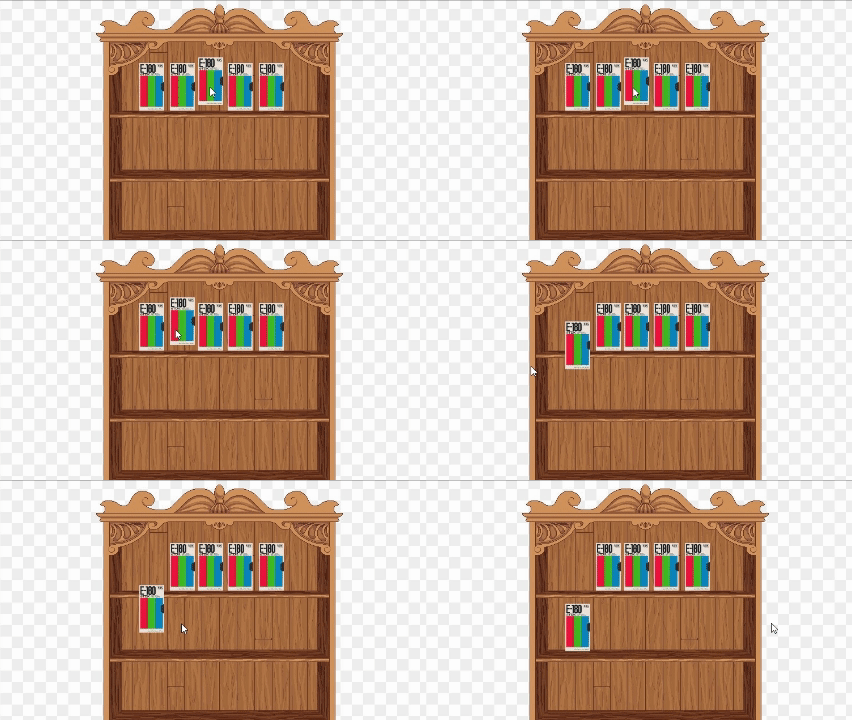
First attempt at smoothing animation
At fist, on hover the VHS would just take off with no return. I didn't save the code snippet that caused that, but I think the value I was passing into transform was nowhere near what it was supposed to be, even though I thought it made sense. That's when I realized this might be kinda tricky.
I decided it was time to snoop around documentation and try to find some videos of how other people implemented similar mechanics, and finally I got to something that worked!! Or so I thought!!! While moving my mouse over the VHS tape, I decided to move my mouse really fast over it and the tape would continue to continue to drop down (this made me sad and once again I realized this might be kinda tricky). I ended up getting kinda frustrated and decided to try again the next day.
Second attempt: new day new me
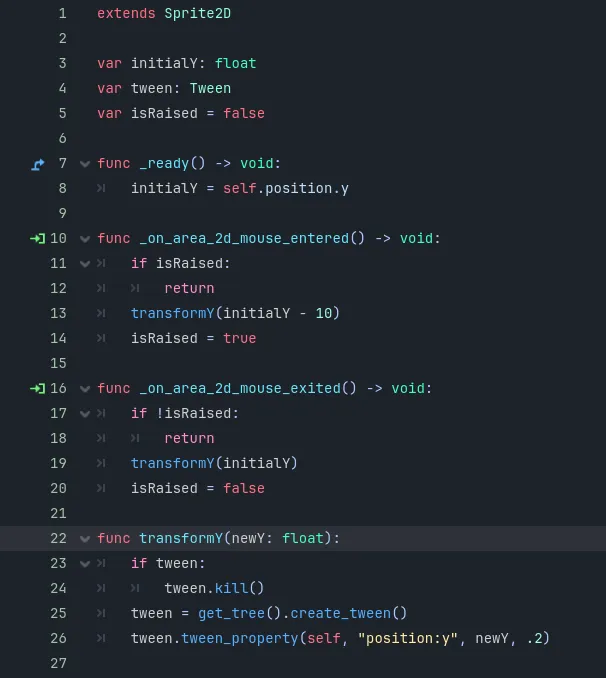
I was positive that the perpetual lowering had to be because the tween animations were being re-triggered before the end of the duration of the animation, so I tried to research what I could do to mitigate that. Tweens can be stopped using tween.kill(), which stops any occurring animation. For whatever reason using kill() alone did not resolve my issue, so I remembered that I know React paradigms and I realized this was just state management. So I created a flag for if the sprite was raised or not, and checked the value of the flag before even triggering the animation. Bug fixed!! yayayyayya
Along the way, I also learned that sprites are not initialized at runtime, but after the fact. So I initialized the sprites within their _ready() function, which is called when nodes and all their children enter the scene.
Refactor time
I knew the entire time I was being really sloppy and just trying to make the thing work. But now the thing works so I kinda gotta fix it. The two mouse functions are essentially the same code block just with different Y values, so helper function moment.
This is what my script ended up looking like for the hover animation, and I applied it to all the VHS sprites.
What did I do while I was frustrated
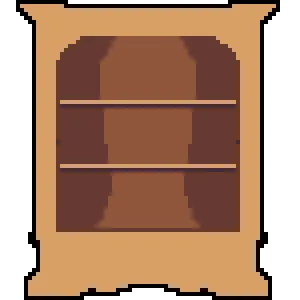
Since I am incapable of rest, I hopped on Aseprite to try to get familiar with the UI and maybe try to start making the shelf. I learned how to use the mirror tool for symmetry, which was pretty neat. I found a picture of a cool shelf and use it in a reference layer, and ended up with something vaguely resembling a shelf! I was pretty burnt out at this point at trying new things so I decided to leave shading for another day. I ended up re-texturing the shelf to use my design, and it made me happy to see in Godot :~)
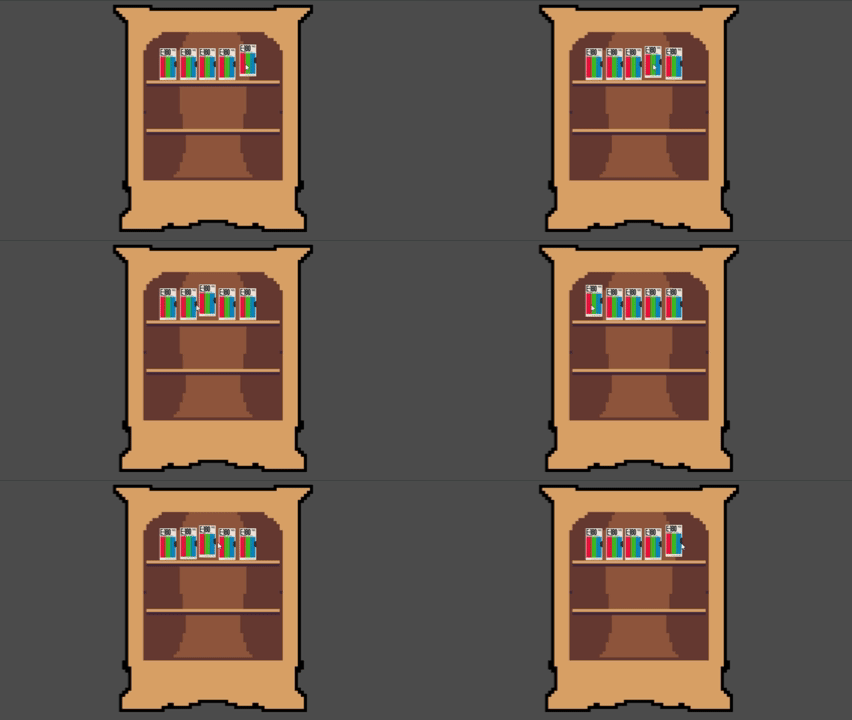
Final result and whats next
This is what I ended up with after 2 working sessions! I might tweak the duration of the animation, but overall I'm happy with how it's looking.
Whats next:
- opening a dialog on vhs click
- still on the fence about a highlight on hover
- learn shading on aseprite
- can i reuse gdscripts?
Thx for reading!! here updated repo link