VHS Shelf: Dev Log #1
I have been putting off starting to learn game dev for too long, so I'm going to start learning how to make simple game mechanics in different little projects. Recently I've getting really into physical media, and been having a lot of fun watching VHS movies on my CRT. I thought it would be neat to have a virtual VHS shelf, cause why not. Physical media is really important to me, and this is a fun way to further cement the existence and my ownership of these items :) This started off as a one week challenge for myself to see how much I can learn with Godot, but I surprised myself with accomplishing more than I thought I could on my first day. So I'm going to document progress just for fun and cause I can!
Starting out & planning
I started by watching some videos to motivate me to get over the hurdle of starting to make games and some general Godot tutorials to learn the interface. I also watched the beginning of a few 2D RPG and Metroidvania tutorials to see how others set up their projects and initial scenes/sprites. I didn't really reference the 2D tutorial on the Godot docs since I'm not focused on having character movement in this project.
The scope for this project is that I want to implement a simple game mechanic and create my own assets. My initial idea is to have a shelf showcasing my VHS collection that the user can interact with via mouse movement and click. The VHS tapes should raise on mouse hover, along with a dialog opening on VHS mouse click containing information on the movie and my rating.
Creating the scene
I wanted to focus on mouse interactions at first, so I grabbed some placeholder textures for the shelf and VHS tapes for the time being. I realized that I will also need to make a background!
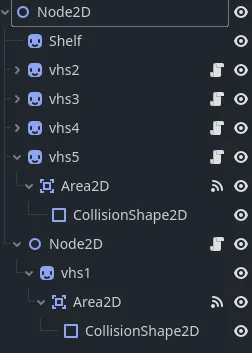
This is the structure I ended up with for the scene. It is kind of a mess and I have no clue if this is remotely close to best practices, so I will have to do some research on that. But essentially, every VHS tape is a 2D sprite with an Area2D child that is the size of the VHS Tape and a CollisionShape2D child. The shelf is currently a sprite as well, but I will probably be integrating the shelf into the background image of the scene once I get started on the assets, since the shelf itself isn't interactive.
Capturing mouse actions
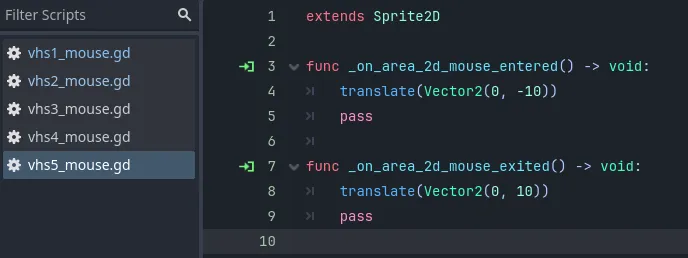
Every VHS sprite has a gdscript attached that contains Area2D mouse action handlers. This handles the hover logic, so the y position of the VHS tapes is transformed on mouse enter and exit. This is why the nested sprite structure of the Sprite -> Area2D -> COllisionShape2D was necessary, as the Area2D child is what checks for mouse interaction!!
Results + whats next
I ended up being really proud of getting started with this and having some sort of result within an hour!
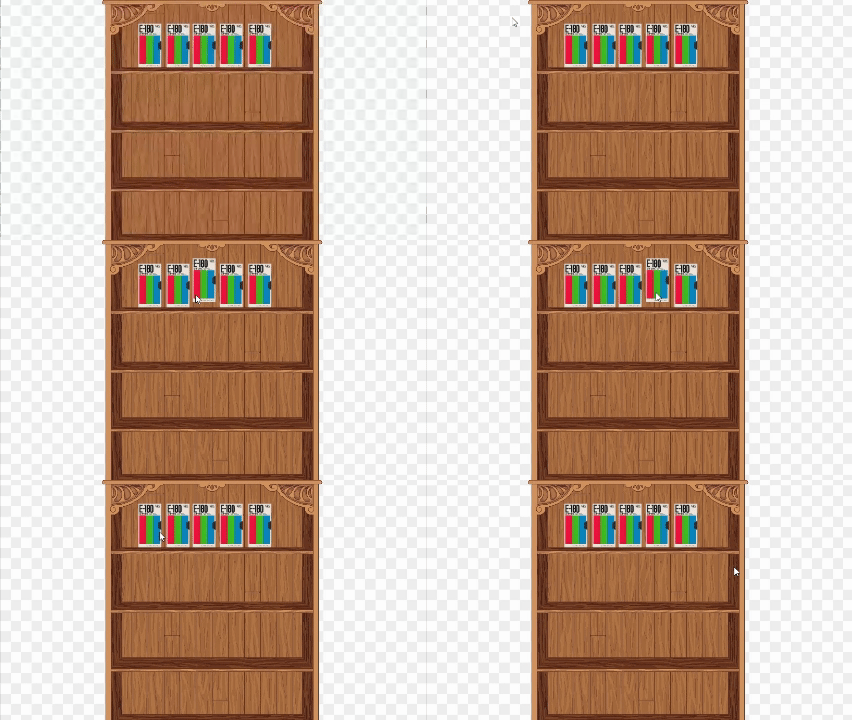
Goals for next time:
- Smooth out animation on VHS tape raise
- Highlight tape on hover?
thx for reading, heres the repo if ya wanna check it out!!